
Best Free YouTube Thumbnail Previewer for Creators
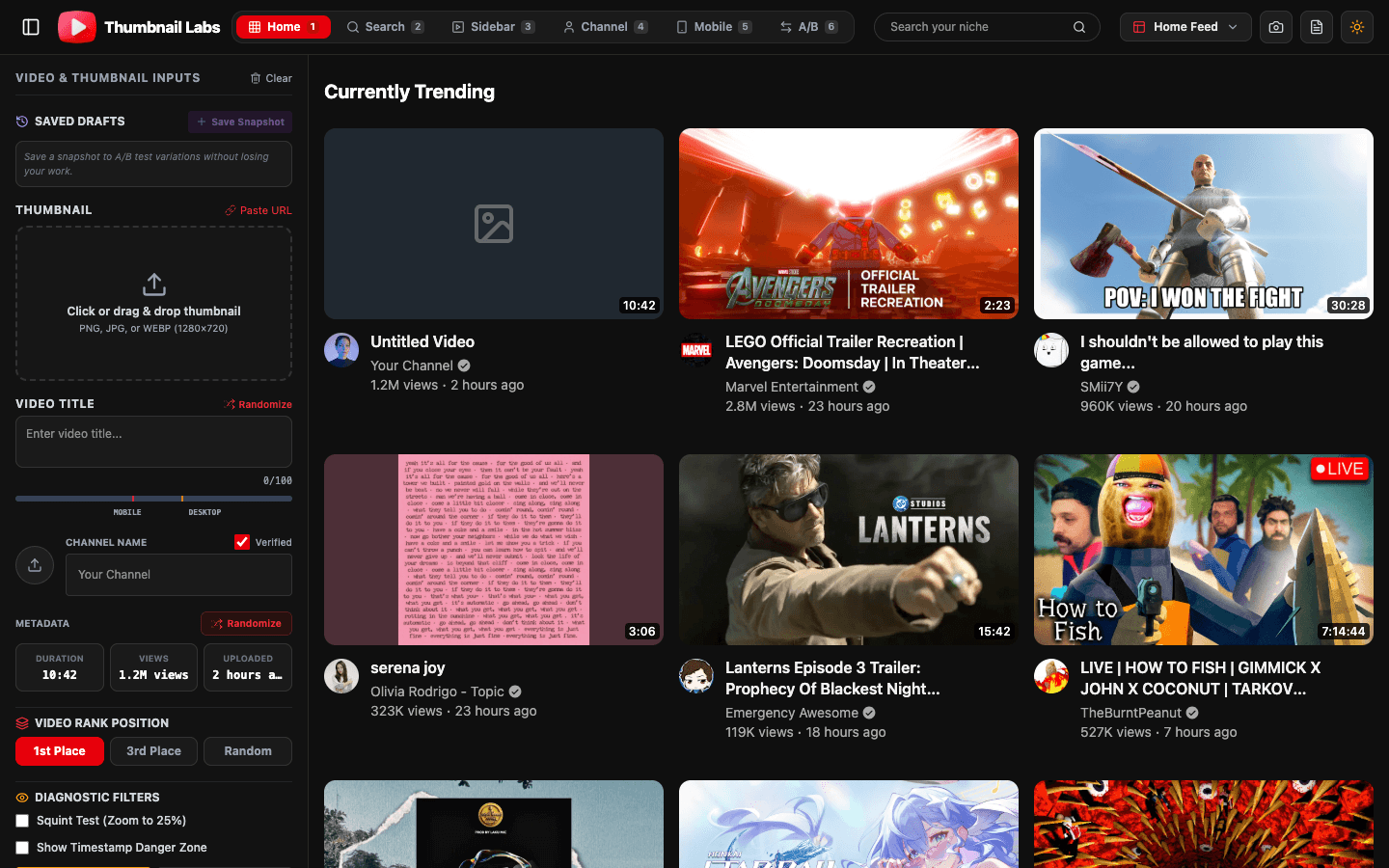
See your thumbnail in a real YouTube feed, before the algorithm does.
Thumbnail Labs is the free YouTube thumbnail previewer that drops your design into live-style Home, Search, Sidebar, and Mobile layouts, scores visual CTR signals, and lines you up against real competitor thumbs in your niche.
No install. No “pretty in Photoshop, invisible on Home.”
The problem
Most free previewers show your art in a single static frame.
Viewers never see that frame. They see a crowded grid, a tiny mobile card, and five louder thumbnails in the same topic.
What you get with Thumbnail Labs
Live niche search
Enter a keyword. Populate real competitor thumbnails from that niche. Judge your design in the fight it will actually enter.
10+ YouTube surfaces
Desktop Home grid, Search results, Sidebar, Channel page, Watch surfaces, Mobile feeds, switch layouts in seconds.
Side-by-side A/B
Compare your draft to another variant or a competitor video URL. Each side gets its own read so debates end faster.
AI-powered CTR scoring signals
Computer-vision style reads on contrast, saturation, and face detection, the visual ingredients tied to stronger click potential.
Diagnostic suite
Squint/blur tests, grayscale contrast audits, and colorblind (protanopia) simulation so weak hierarchy fails in private, not on launch day.
Drafts + export
Save variations, swap instantly, export a branded audit report PNG for editors, clients, or your future self.
How it works
1. Upload a thumbnail or paste a URL (dimension/aspect checks included).
2. Preview across realistic YouTube layouts.
3. Optimize with scores, diagnostics, and A/B compares, then export.
Who it’s for
- YouTubers who want higher CTR without guessing
- Editors packaging client channels
- Growth managers QA’ing thumbnails at scale
- Anyone tired of paying for a full suite just to preview a PNG
Why free tools still lose (and how we differ)
| Typical free previewer | Thumbnail Labs |
|---|---|
| One mock layout | 10+ surfaces |
| Your thumb alone | Live niche competitors |
| “Looks fine” subjectivity | Diagnostics + visual scores |
| No shareable QA | Exportable audit report |
Proof-oriented workflow (recommended)
1. Design 2-3 serious variants.
2. Run Thumbnail Labs feed + squint checks.
3. Pick a winner.
4. Upload to YouTube.
5. When eligible, confirm with YouTube Studio A/B (watch-time based).
FAQ
Is Thumbnail Labs free?
Yes, the core preview, compare, and diagnostic workflow is positioned as free on thumbnaillabs.com.
Do you replace TubeBuddy or VidIQ?
No. We focus on thumbnail preview, competitive context, and visual QA. Use us before publish; keep your suite for broader channel ops if you already pay for one.
Can I preview mobile?
Yes, mobile feed layouts are part of the preview set.
What’s the right thumbnail size?
Follow YouTube’s custom thumbnail guidance (16:9 for standard videos, high resolution, JPG/PNG) in YouTube Help.
Stop approving thumbnails in isolation.
Preview them where clicks happen.